1Password's most distinctive travel feature is not that it remembers passwords. It is that Travel Mode can reduce which vaults remain available in the applications you take with you. That can be useful, but only if you understand the boundaries and prepare recovery separately.
Our assessment is that 1Password deserves consideration for travelers who will actively organize their vaults and maintain an independent recovery route. It is not a substitute for device security, a guarantee against inspection or a product that makes account recovery automatic.
What Travel Mode changes
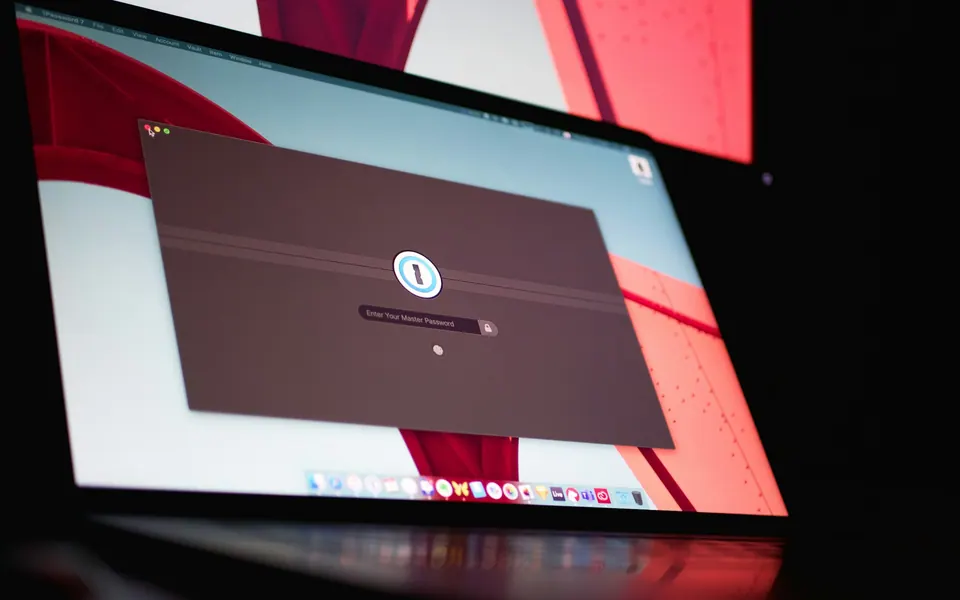
1Password says Travel Mode removes vaults other than those marked safe for travel from its apps and browser extension, after the devices receive the change. The current instructions require opening and unlocking the applications with internet access when changing the mode. 1Password Travel Mode
The practical value comes from selecting what belongs on the trip. A small travel vault can contain the credentials you actually need without carrying unrelated sensitive material in the same accessible set.
That preparation takes thought. If the password for a needed account remains only in a removed vault, you have created an availability problem. If everything is marked safe for travel, you have preserved convenience but may not have achieved the intended reduction.
The browser-extension caveat matters
1Password explicitly warns that someone able to unlock its browser extension can use it to sign in to the web account and turn Travel Mode off. Its guidance recommends removing the extension before travel when preventing that route is part of the objective. Travel Mode's extension limitation
This is the kind of detail a product summary can easily miss. The feature's name is not a complete description of its protection. Read the workflow against your own threat model and follow the current instructions.
The feature also does not erase credentials copied elsewhere, downloaded documents or sessions already active in other applications. Do not treat a reduced vault set as proof that the whole device contains no sensitive information.
Separate data minimization from legal advice
Deciding which information to carry is a practical security choice. It does not determine what an authority may request or what obligations apply in a particular jurisdiction.
This review does not offer a strategy for evading lawful requirements or make a legal claim about border inspections. If the travel involves unusually sensitive information or professional obligations, consult the appropriate employer or qualified adviser.
For ordinary travel, the useful question is narrower: can you reduce unnecessary exposure without compromising the accounts and documents you legitimately need?
Offline availability depends on prior preparation
1Password's synchronization guidance says data is available offline after it has synchronized to the device. That supports a practical pre-departure routine: open the application, allow synchronization and confirm the needed items are present. 1Password synchronization guidance
Offline access on a configured device is not the same as setting up a replacement without internet. It also does not mean a document linked from a vault item has been downloaded automatically.
Work accounts using Unlock with SSO need separate preparation. 1Password documents offline access in supported apps when administrators enable biometrics and the device has suitable cached credentials, subject to the administrator's time limit. Offline unlock is unavailable in the browser. Confirm the arrangement with your administrator rather than applying personal-account assumptions. 1Password SSO security and offline access
Rehearse with a harmless item while keeping normal access available. Do not sign out everywhere just to see whether recovery works.
Understand the Emergency Kit
The Emergency Kit contains account details, including the Secret Key and a place to record the account password. It is intended to help preserve sign-in information, not to be an ordinary travel document left unprotected in a bag. 1Password Emergency Kit
Choose storage that is both secure and reachable under the failure you care about. A digital copy available only after unlocking the same lost account is circular preparation. A printed copy stored with every primary device may disappear in the same incident.
If additional authentication is enabled, include its supported recovery route in the plan. Having the account password and Secret Key does not justify ignoring other factors required by the configuration.
The right arrangement may involve protected storage at home and a separate trusted device. There is no universal location that is secure and convenient for every traveler.
A recovery code has dependencies too
1Password's recovery-code documentation for individual and family accounts requires access to the account email address. Recovery creates new sign-in details, and previously enabled two-factor authentication remains enabled. Team and business accounts use different recovery arrangements. 1Password recovery codes
The email dependency is particularly important. If the email password exists only inside the inaccessible vault, the presence of a recovery code does not by itself solve the circle.
Do not casually trigger the recovery process as a rehearsal. The documentation describes protective waiting or blocking conditions in some circumstances. Instead, confirm that the recovery material exists, the email route is independently available and the official instructions are saved.
Our account recovery guide helps map those dependencies across services.
Work through a lost-phone scenario
Imagine the phone disappears but the laptop remains. If the laptop is already configured, can you unlock the appropriate vault, reach the main email and contact the carrier? If so, it can provide a useful continuation route.
Now change the scenario: both devices are gone. Which protected record and trusted process let you establish access on an approved replacement? The answer cannot be “open the application on the laptop.”
For a company account, contact the administrator rather than moving secrets into a personal account or borrowing an untrusted machine. Recovery convenience does not override the organization's controls.
The exercise does not prove that an incident will be painless. It exposes the missing steps while you still have time to fix them.
What the subscription price means
The inspected USD Individual offer showed a $2.99 monthly equivalent for an eligible first year paid annually, with a regular $3.99 equivalent. That is $35.88 versus $47.88 for twelve months, before any applicable additional charges. The first-year promotion is for new customers subscribing directly through 1Password.com, not app stores. It is not month-to-month billing or a permanent renewal price. 1Password personal pricing
Decide whether the travel-specific features and the broader everyday workflow justify the subscription for you. Do not buy an annual product solely because a short trip makes security feel newly urgent.
If another manager already gives you a secure, rehearsed setup, improve that preparation before considering a migration. The password-manager comparison examines Bitwarden and Proton Pass through the same recovery questions.
Our verdict
1Password is a strong candidate on documented travel-vault control and structured recovery preparation. The value is clearest for someone willing to maintain a deliberate travel vault, understand extension behavior and keep recovery outside the devices being protected.
It is less compelling as an impulse purchase for someone expecting one switch to remove all sensitive data or make replacement-device access effortless. Those expectations exceed what the feature establishes.
Before relying on it abroad, confirm the selected vaults, synchronization state, independent email access and protected recovery material. Those checks turn the product's capabilities into a workable plan.
Compare Travel Mode with the other recovery approaches in the travel password-manager guide. Then use the account-recovery guide to check what remains available when the device, email session or verification number you normally use is missing.
Research note: official documentation checked on 11 October 2026. This is a research-led feature and recovery review, not an independent security audit or hands-on incident test. No accounts were created, changed or recovered.